Wednesday, November 16, 2011

Alabama Virtual Library: Kids InfoBits


Kids InfoBits is one of the AVL's best resources for elementary level students. VERY visual, it's one of the best picks for younger students. They can browse each category according to their unique interests OR they can use the search feature to locate information about a specific topic. 

One of the neatest categories is "Stories & Literature." When students access this category, they can then choose from a variety of literature-related sub-categories. 


*We have recently been told that the new ARMT+ standardized test will  measure higher, more rigorous standards in regard to literacy. Poetry is one item that we can hone in on, and this section of the Kids InfoBits database can help with that! Please be sure to share this database with the classroom teachers in your building who will be focusing on poetry this year. 

If you choose the sub-category of "Reading, Writing, & Language," you can see that there is an abundance of resources available to support literacy, and the instruction of English Learners. 


Kids InfoBits is also really useful as a safe, ad-free dictionary tool! 


Thursday, November 10, 2011

Troubleshooting Basics (2nd Edition)

The computer is completely dead?
Check all the connections, the cables between the CPU and the monitor and all the electrical cables.  Check the wall socket or surge strip to see if they are bad (sometimes a surge strip will have good and bad outlets).  If you have a green light on your monitor but not on your CPU, then there is a problem with your CPU.  If there is a green light on your CPU and not your monitor, then you have a problem with your monitor and your CPU may be fine.  If you have another monitor that you know is good, the quickest way to test is to put another monitor on the machine and see if you get an image on the screen.  If you have a light on both the monitor and the CPU, check the pins of the data cable between the monitor and the CPU.  A single bent pin can cause an image problem.

The usual problem is that the power cord or other cord has been pulled or bumped loose from the connector. Just because it looks like it is plugged in does not mean that it is, many times unplugging and re-plugging the cord will fix the issue.

Monday, November 7, 2011

Alabama Virtual Library: Enciclopedia Juvenil

Another vital database in our state's collection of resources on the Alabama Virtual Library is the Enciclopedia Juvenil. Created as a service for students whose primary language is Spanish, Enciclopedia Juvenil eases the barrier to information access for English Learners by providing a quality search resource they can use in Spanish.


Users can search the database for information they can then translate to English if necessary. This database also has the text to voice recognition feature, meaning 

This site even has games and videos created to match course of study content, created in the Spanish language to aide those students who are struggling with English language acquisition. These can also be used to create background knowledge which will help the students make stronger, clearer connections to their classroom content. 

One unintended but also potentially relevant use for this database might be using it to demonstrate to teachers how English Learners feel as they are attempting to utilize learning resources on an every day basis that is in a language so different from their primary language. 


Friday, November 4, 2011

Troubleshooting Basics

*Today's post is the first in a series by Dion Staton, the school librarian at North Jefferson Middle School. 


Troubleshooting Basic Computer Issues

I often am asked what you do when teachers have computer problems. And the answer is, truthfully I inhale deeply, and ask one question, “Have you restarted the computer since the trouble began?” This one question actually solves about 50-60% of all computer issues in my school. But what if that does not work? What do you do?

Well here is my basic process and some thoughts behind why I do these things. They are very basic and easy to perform and they get to the root cause of 80-90% of computer issues in my school. So take this for what it is: a very basic troubleshooting guide. I hope you find it helpful. 

The computer locks up and/or is acting weird?
1.  If a computer is frozen and will not respond to any commands, you will need to press Ctrl + Alt + Del (all three keys at the same time) to bring up the Task Manager (See pic1 below).  Select any program that says "Not responding" and click the End Task button.  Repeat until all tasks that are not responding are ended.  If this does not work, turn the computer off by holding down the power button for 10 seconds, wait thirty seconds, turn the computer back on, and let the computer start up again. Likely 60% of computer issues can be fixed this way.
2.  Just as stated above “When all else fails, restart!”  A majority of problems that occur while you are using your computer can be fixed by shutting down the computer and restarting.  Applications sometimes don’t release memory like they should when they are finished.  The end result is your computer locks up or acts really weird.  When you restart, memory registers are cleared and most everything is reset.  This fixes a lot of problems.


Special Note
It doesn't hurt a computer to leave it running all the time.  However, using the computer for long periods of time causes small problems that can build into larger ones.  When Windows restarts, it fixes most of these small problems.  Restarting the computer periodically while working can help reduce the risk of glitches causing big issues later on which seem worst than they are.

Thursday, November 3, 2011

Encyclopedia of Alabama


The Encyclopedia of Alabama is a free resource provided by a partnership of the state department of education, Auburn University, the University of Alabama, and many other state entities. 


It is an incredibly useful tool for us because it is a database dedicated solely to the information about and resources of Alabama. It's one of the most relevant sources of quality information about our state. 4th graders at my school have used the Encyclopedia of Alabama to create class Alabama ABC's books, and have also spent time researching Alabama author Kathryn Tucker Windham as well. 


Here is one example of using the Encyclopedia of Alabama to locate quick facts about Alabama: 


A rich source of quality images and articles, EOA would be very useful for middle and high school students exploring primary sources about Alabama as well. 


How have you used the EOA? 

Wednesday, November 2, 2011

Ghostly Literacy Programming

*Today's post is written by Jennifer Anders of West Jefferson Elementary.
            
 As school librarians we are charged with collaborating with teachers, students, parents and the community as we plan and develop our program. One of our most valuable resources, however, is each other. Recently, Michelle Wilson (North Highland Elementary) and I got together and planned a “Big Read” unit for our respective schools without ever meeting face to face. However, we were in constant contact using different communication and social tools. Actually, we spent more time collaborating than an average lesson with teachers because of the ease of communication. This blog entry explains a little bit about what we did and how we did it.
            First, we chose the book 13 Alabama Ghosts and Jeffrey by Kathryn Tucker Windham. This was a good choice for a couple of reasons. One, it is pertinent right now because Mrs. Windham passed away this past summer, so there has been a good bit of media coverage about her and her life. Second, if you are an elementary school librarian, you know that her series of ghost stories is always popular with the kids. This selection also allowed us to concentrate on the 4th grade social studies curriculum featuring Alabama geography, history and culture.
            Next we developed a list of activities we could do with the students in our schools, and then secured or created resources to teach the activity.
Examples:
1.    Introduce Kathryn Tucker Windham to students using video clip from APT Plus. 


2. Develop research booklet to guide students learning.
3. Booktalk the ghost stories in the book.
4. Take a virtual trip through Alabama using Tripline.


5. Use the Encyclopedia of Alabama to research Kathryn Tucker Windham.


6. Create ghosts crafts with each grade level.


7.   Attend production of 13 Alabama Ghosts and Jeffrey one act musical.
(Just a stroke of luck that it was playing at the local high school.

8.    Conduct a Ghost Museum, invite parents, community members and district level employees to tour the museum. 


Some of the networking tools we used to communicate are tools we use everyday. We communicated by Facebook, email, text and Pinterest. While we were teaching the lessons we would of often text between classes to find out what was working or not working so we could adjust our teaching strategies. And most importantly, it was fun, educational and strengthened a working relationship between two librarians miles apart.

If you want more information about this lesson, please attend the First Friday session Friday, November 7th.  We will share live with you details about the unit and links to all the resources.


Tuesday, November 1, 2011

Celebrating Literature

Everything we do as school librarians has a distinct purpose. Every lesson we plan is done so in support of the course of study. Every objective we design for collection development is in harmony with the school's strategic plan. Every activity we coordinate with students is relevant to their everyday lives.

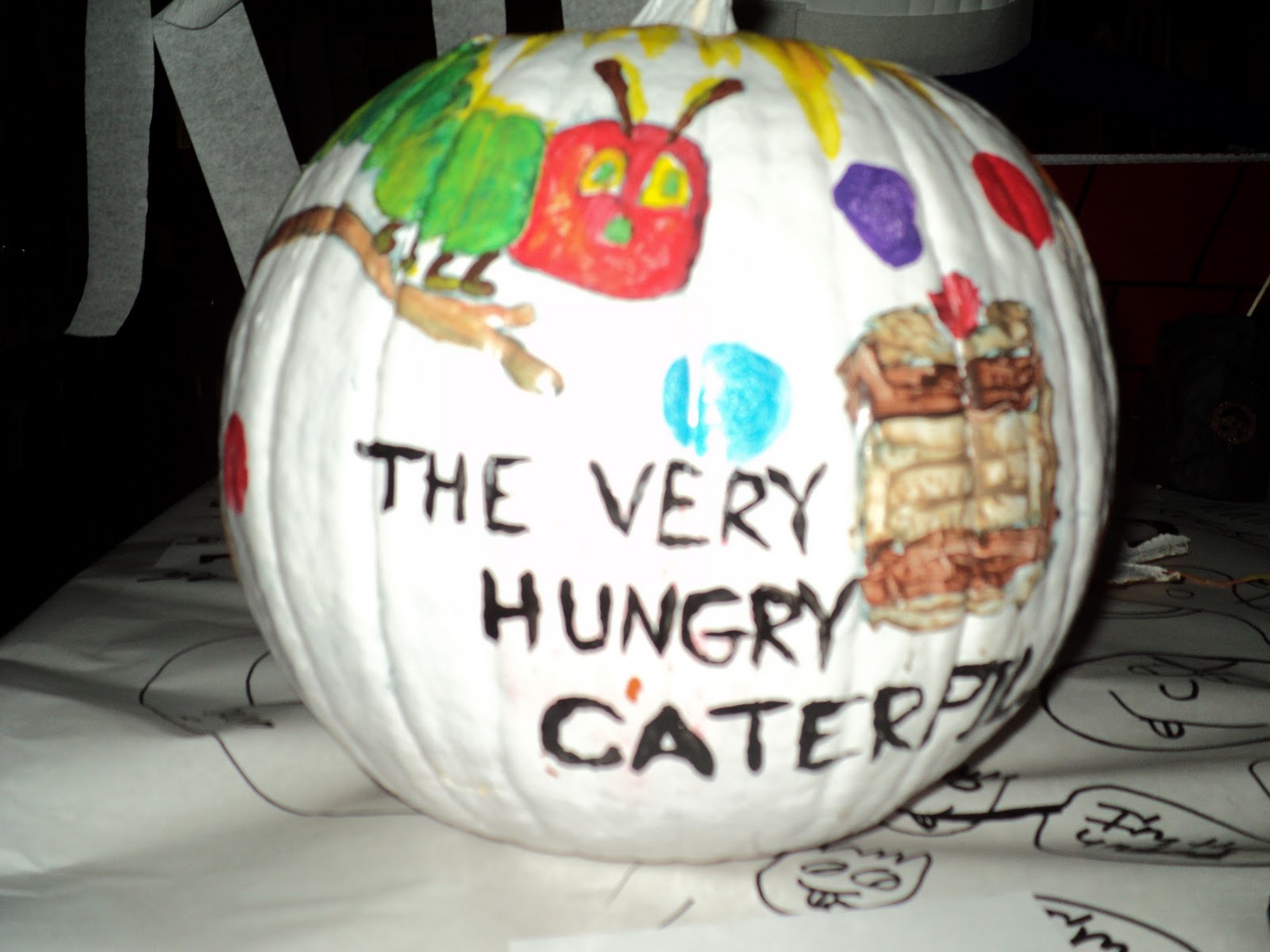
Book character pumpkin contests is an annual fall event for many schools. Students are given some basic guidelines and suggestions for book characters, and the activity is designed to promote an awareness of literature and provides an opportunity for children to reflect on the traits of a character. It works well because it's fun, inexpensive, simple, and permits such room for creativity. As other students come in to view and vote on their favorite pumpkins, they discuss the book characters with one another and have informal yet in-depth talks about why they like each character. That's good stuff!

Here are a few pictures of this year's book pumpkins from my students at North Highland Elementary:

Cinderella

Indiana Jones

Diary of a Wimpy Kid

The Rainbow Fish

Bad Kitty

Hello Kitty

Wizard of Oz-Scarecrow

Wizard of Oz-Wicked Witch of the West

Wizard of Oz-Tin Man

These are a few of the pumpkins from West Jefferson Elementary's contest. Jennifer Anders is the school librarian there. 

Kermit the Frog

Wicked Witch (Wizard of Oz)

The Very Hungry Caterpillar